


What's under attack right now?
- White has 1 checking move: Bxh7+.
what’sthisposition
Enter a Chess.com or Lichess username, a game link or a PGN. Stockfish labels every move from Brilliant to Blunder and explains why. Free, in your browser.
The Chrome extension reviews your Chess.com games right where you play them.
A screenshot from a game, a FEN or a board you set up. It shows the threats, weaknesses and plans for both sides on the board, checked by Stockfish.
Each move is compared with Stockfish's best in winning chances, on Lichess's win-probability curve. The same rules apply to every game, from your blitz games to world championships. How each label is decided
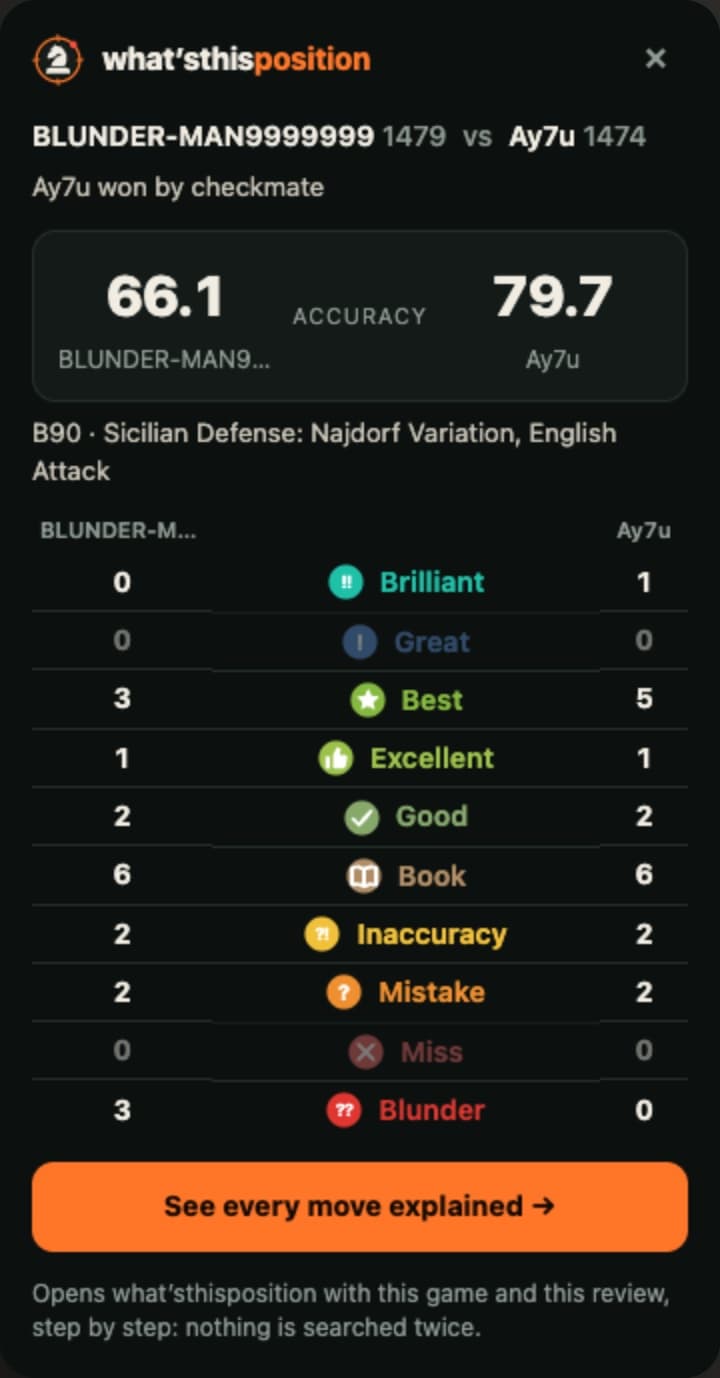
The free extension reviews a finished Chess.com game right where you played it: both players' accuracy and every move counted, from Brilliant to Blunder. One more click opens the whole review here, already done.
For Chrome, Edge, Brave and other Chromium browsers on a computer. It only reviews finished games, and collects nothing. More about the extension
One position, read four ways. Every line below is worked out live from the board by the same code that reads your positions.
Once you've seen these a few times, you start spotting them in your own games before the engine points them out.
Pieces under attack flash red. Forks and skewers draw their lines.
Every square a piece controls floods in its side's colour.
The runway to promotion lights up, square by square.
Squares no pawn can ever defend again open up as pits.
Chains link up, and the base, the point to strike, is targeted.
The squares around an exposed king heat up with every attacker.
Files without pawns become highways, and linked rooks pulse along them.
Territory behind each side's pawns fills in: who has room to breathe?
What people ask before they paste their first game.
Yes. There is no account, no daily limit and nothing to unlock. Stockfish runs on your own device, so a review costs nothing to serve. The code is open source (GPL-3.0).
Type your Chess.com username and pick a game from your last three months. You can also paste the PGN (Share, then PGN, on Chess.com), or add the Chrome extension and review a game right on its Chess.com page.
Yes. Enter a Lichess username or paste a game link. Any PGN works too: paste it, or drop the .pgn file on the page. Files with several games let you pick one.
Each move is compared with Stockfish's best by how much of your winning chances it gives away: under 2% is Excellent, under 5% Good, then Inaccuracy, Mistake, and Blunder at 20% or more. Brilliant needs a real sacrifice that is also the best move; Great is the only move that holds.
The accuracy score is fitted on games Chess.com reviewed, and usually lands within about 3 to 4 points of Chess.com's number for the same game.
No. Games, positions and photos stay in your browser. A username is only used to fetch your public games from Chess.com or Lichess. Visits are counted anonymously, without cookies.
Yes. Drop a screenshot or photo of a board, paste a FEN or set up the pieces by hand. It shows the threats, weaknesses and plans for both sides on the board, checked by Stockfish.
Type your Chess.com username or paste the PGN, then step through it move by move.